

Getting started
This tutorial gets a board running on your machine and has you call in over telnet, SSH and the browser. Then you rename the board and add a menu option of your own. It takes about ten minutes.
What you need
| Requirement | Check with |
|---|---|
| PHP 8.5 or newer, CLI | php -v |
Extensions gmp, intl, mbstring, openssl, pdo_sqlite, sodium |
php -m |
Extension pcntl, so Ctrl-C shuts the server down cleanly |
php -m |
| Composer 2 | composer -V |
| A telnet or SSH client, or just a browser |
SyncTERM shows the art exactly as drawn. Any modern terminal works too.
1. Create the board
A board starts from the starter project, carrier/app:
composer create-project carrier/app my-boardcd my-boardYou now have:
.env, copied from.env.example- the
boardandwebkits copied intoapp/andresources/ storage/carrier.sqlitewith its tables and the starter content: message areas, a welcome thread, a poll and a few oneliners
Nobody has an account yet. The files in app/ are yours to change; see kits.
2. Start the board
php carrier serveMy Board on Carrier 0.2.1 · PHP 8.5.13 · 16 nodes
04:54:35 NOTICE telnet listening on 0.0.0.0:2323
04:54:35 INFO ssh host key ED25519 SHA256:LSZ5zqmB6djzCtHRzFqhy2cqHJ0t5CR0LCAWWnsS24k
04:54:35 INFO ssh host key RSA SHA256:W0ej4vS4bVhKyahCLLfMbpjmIVwsrDOofjQTMTv6d6Q
04:54:35 NOTICE ssh listening on 0.0.0.0:2222
04:54:35 NOTICE rlogin listening on 0.0.0.0:2513
04:54:35 NOTICE web listening on 0.0.0.0:8080The SSH host keys are created in storage/keys/ on the first start, so your fingerprints will
differ. Leave this terminal running; every caller is served by this one process.
3. Call in and become the sysop
In a second terminal:
telnet localhost 2323You get the connect screen. Press a key and the login matrix appears:
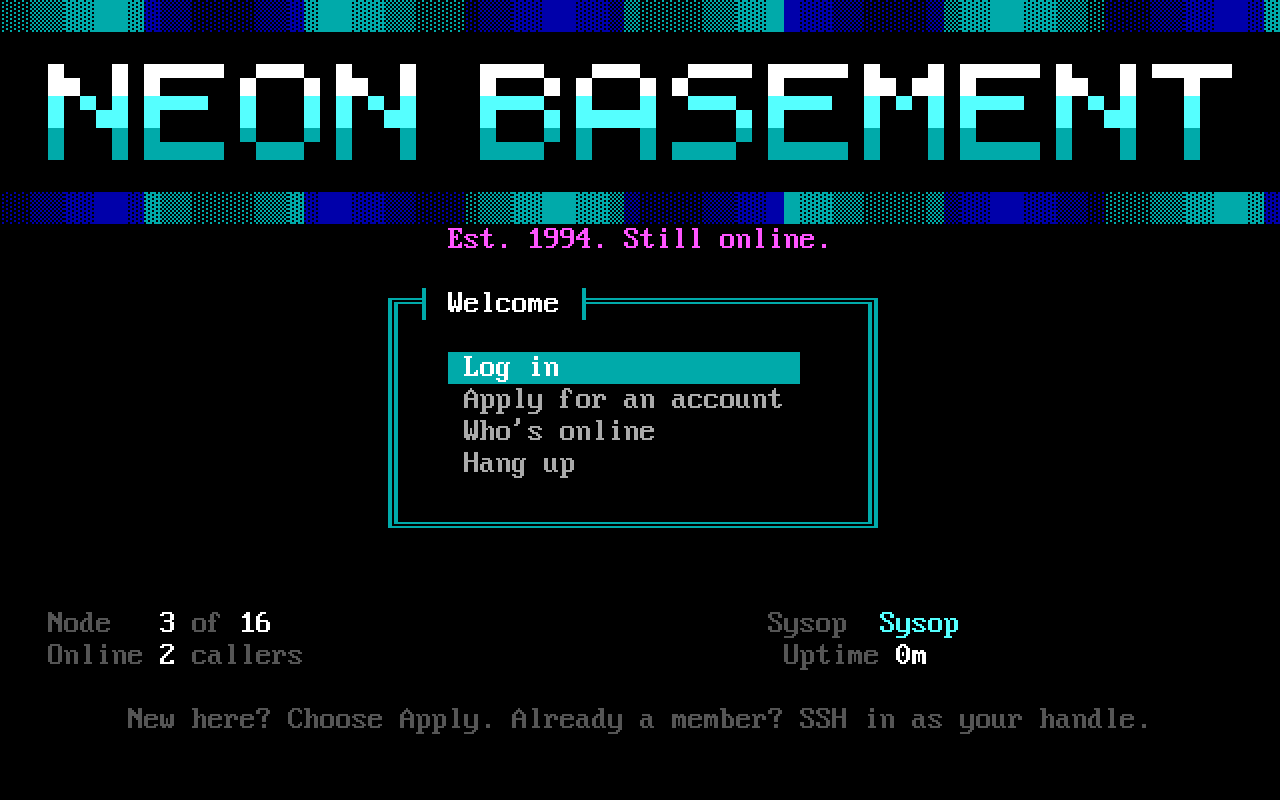
Choose Apply for an account and answer the questions: a handle, a password (8 characters or more) twice, then your real name and location, both optional. The first account created on a board becomes the sysop, so the board tells you "You are the first user, so you are the sysop." After that you land in the logon sequence and then the main menu:
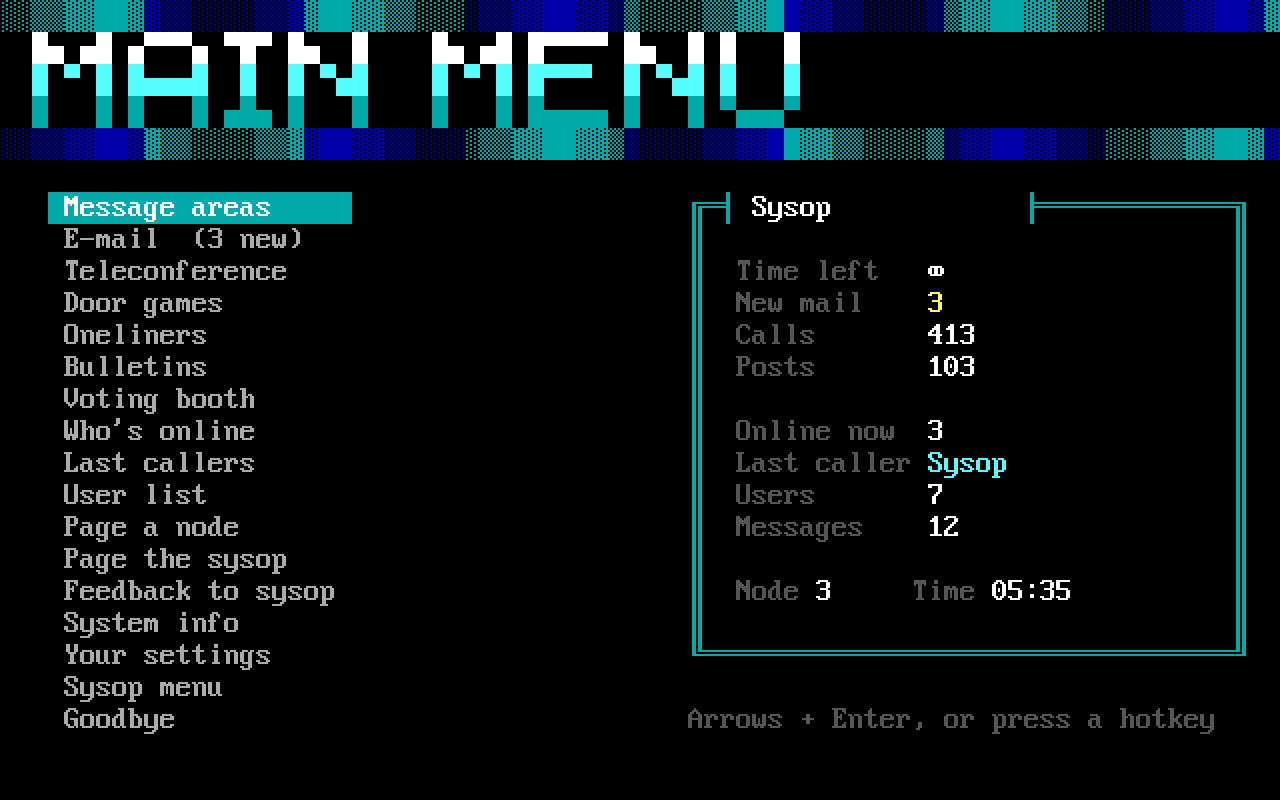
Arrow keys move the lightbar and Enter picks; every option also has a hotkey. Try M for the message areas, D for the door games and G to log off.
The same board answers on the other ports, all at once:
| Client | Command | What happens |
|---|---|---|
| SSH | ssh -p 2222 YourHandle@localhost |
Asks for your board password, then goes straight to the logon sequence |
| SSH as a guest | ssh -p 2222 new@localhost |
No password; goes to the matrix so you can apply or log in (guest and bbs work too) |
| Browser | http://localhost:8080 | An 80×25 terminal with the VGA font, plus who's online and the oneliners beside it |
Open two of them and choose Teleconference in each to chat between your own nodes.
4. Rename the board
Stop the server with Ctrl-C. In .env, change the name and tagline (the starter project ships
"My Board"):
BBS_NAME="The Copper Wire"
BBS_TAGLINE="Dial in, stay a while."Start it again with php carrier serve and call in. The tagline under the matrix logo changes,
because the art holds the %BT display code there, and the goodbye screen thanks callers for
calling the new name through %BN. The big "NEON BASEMENT" logo itself is drawn into
matrix.ans; redraw it in an ANSI editor, or change the logo() call in
tools/art/build.php in the Carrier repository and run that script (see art). Every setting is listed in
configuration.
5. Add a menu option of your own
Generate a module:
php carrier make:module RumorsCreated app/Modules/Rumors.php
Add it to a menu in app/Menus.php: $menu->option('X', 'Rumors')->module(Modules\Rumors::class);Open app/Menus.php and add an option to the main menu, above the Goodbye line. R is free:
$menu->option('R', 'Rumor mill')->module(Modules\Rumors::class);Restart the server, log in and press R. The module clears the screen, prints a header and
greets you by handle, using the |UN display code:
Hello, YourHandle!Open app/Modules/Rumors.php and change handle(); it is ordinary PHP that reads top to bottom.
$terminal->ask('Your rumor: ') waits for this caller only, while every other node keeps
running. Restart the server after each change.
Where to go next
| To | Read |
|---|---|
| Lay out menus, lightbars and global commands | Menus |
| Write modules, prompts and full-screen widgets | Modules |
| Draw screens in PabloDraw or Moebius and place fields in them | Art and display codes |
| Restyle the whole board | Themes |
| Add a door game, native or external | Doors |
| Run it for real | Deployment |