

Menus
A menu is a named screen of options. Each option has a key and an action: go to another menu, run a module, launch a door, show art, run a closure, go back or log off. Menus are defined in PHP; the menu runner draws them, reads keys, keeps a history and enforces ACS and the daily time limit.
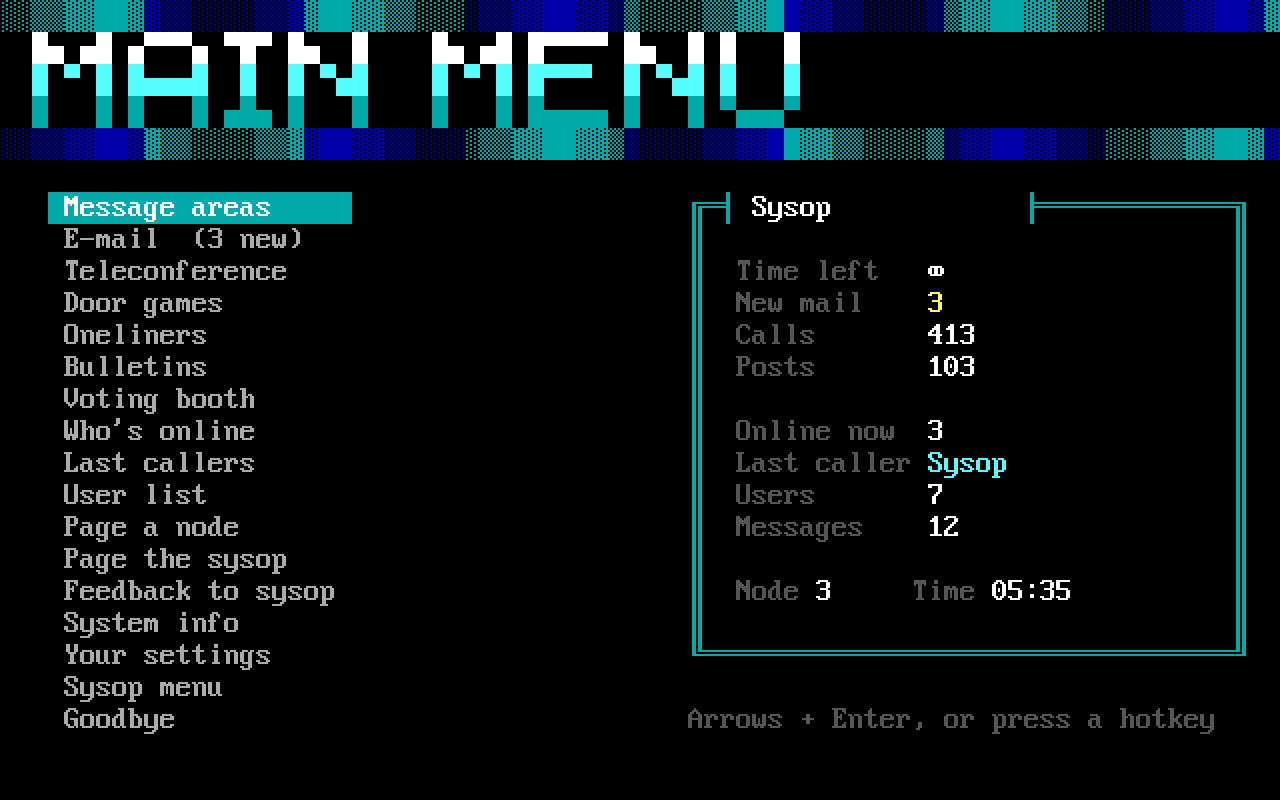
- Define menus
- How a caller moves through menus
- Hotkey and lightbar menus
- Menus drawn from art
- On-enter steps and forwarding
- Door lists
- Global commands
- Access control
- Check menus with menu:list
- Reference
Define menus
Write a class that implements Carrier\Menu\Menus. Discovery finds every such class in app/, and the registry calls its define() the first time a menu is needed. The board's own menus are in app/Menus.php.
<?php

declare(strict_types=1);

namespace App;

use App\Modules;
use Carrier\Menu\MenuDefinition;
use Carrier\Menu\MenuRegistry;
use Carrier\Menu\Menus as DefinesMenus;

final class Menus implements DefinesMenus
{
    public function define(MenuRegistry $menus): void
    {
        $menus->define('main', function (MenuDefinition $menu) {
            $menu->title('Main menu')->art('main');
            $menu->option('M', 'Message areas')->goto('messages');
            $menu->option('E', 'E-mail  (|NM new)')->module(Modules\Mail::class);
            $menu->option('D', 'Door games')->goto('doors');
            $menu->option('!', 'Sysop menu')->goto('sysop')->acs('SY');
            $menu->option('G', 'Goodbye')->logoff();
        });
    }
}define() returns the MenuDefinition, so a menu without options can be built in one chain:
$menus->define('apply')->title('New user')->noHistory()->run(Modules\Apply::class)->forward('matrix');Calling define() again with the same name returns the same definition. A second Menus class can add options to a menu the first one defined.
Titles and option labels may contain pipe colours and display codes: 'E-mail (|NM new)' shows the unread count, and 'Messages · |MA' shows the current message area. See art for the codes.
The connection starts in BbsConfig::$startMenu (matrix by default). See configuration.
How a caller moves through menus
The runner keeps a history stack of menu names.
| Event | Effect on the history |
|---|---|
goto('x') or Next::menu('x') |
push x (unless x is already on top) |
back(), Next::back() |
pop the current menu |
| Escape on a menu with history | same as back() |
Next::reset('x') |
clear the history, then push x |
| the history becomes empty | log off |
leaving a menu marked noHistory() |
that menu is removed, so back() skips it |
Before each menu is drawn, the runner checks the caller's time left. At 5 minutes it sends a warning; at 0 it shows "Your time is up for today" and logs off.
After an action finishes, the runner redraws the current menu unless the action returned a Next saying otherwise. Modules control this with their return value; see modules.
Option keys
| Key string | Matches |
|---|---|
one character ('M', '!', '1') |
that key, case-insensitive |
'/W', '/TIME' |
the caller types /, then the rest (up to 8 characters, upper-cased), then Enter |
'ENTER', 'ESCAPE', 'TAB', 'UP', 'DOWN', 'LEFT', 'RIGHT' |
that key |
? redraws the menu unless an option uses ? itself. Keys are stored upper-cased.
Actions
| Method | Does |
|---|---|
goto(string $menu) |
go to another menu |
back() |
go back one menu |
logoff() |
ask "Log off now?" (Enter = yes), then hang up |
module(string $module, array $args = []) |
run a module; $args reach handle() by name |
door(string $door) |
launch a door by name (doors) |
art(string $name, bool|string $pause = true) |
show art; prints (no art named …) when the theme has none |
call(\Closure $callback) |
run a closure; it may return a Next |
A closure receives $session and $terminal by name. Other typed parameters come from the container:
$menus->global('/T', 'Time check')->acs('LI')->call(function (Session $session, Terminal $terminal) {
    $terminal->writeln("\r\n|07You have |15" . ($session->minutesLeft() ?? 'unlimited') . '|07 minutes left today.')->pause();
});An option with no action goes back.
Hotkey and lightbar menus
| Style | Input | Screen |
|---|---|---|
lightbar |
arrows move a highlight, Enter picks; hotkeys work too | a hint line under the options |
hotkey |
one keypress picks | a prompt: [87 min] Main menu » |
The style comes from the first of these that is set:
$menu->lightbar()or$menu->hotkeys()on the menu- the caller's
menu_stylesetting (Settings → Menus) BbsConfig::$menuStyle(defaultlightbar)
A menu falls back to hotkeys when the caller's terminal did not answer the ANSI probe, or when its art has no %VM1/%HM1 marker. The lightbar remembers its position per menu for the rest of the call.
Without art, the runner generates the screen: a header box with the board name and menu title, then the options in columns() columns (default 2; one column below 60 terminal columns). Theme strings shape every part:
| Theme key | Used for | Placeholders |
|---|---|---|
menu.header |
the header box | {rule} {bbs} {title} {pad} |
menu.item |
each option | {key} {label} |
menu.prompt |
the hotkey prompt | {title} |
menu.lightbar_hint |
the line under a generated lightbar menu | — |
menu.normal, menu.focus |
lightbar item colours | — |
A menu's own prompt() replaces menu.prompt for that menu. See themes.
Menus drawn from art
$menu->art('main') draws the named art instead of a generated screen. The art decides what the menu looks like:
| The art contains | The runner |
|---|---|
%VM1 |
draws the visible options as a vertical lightbar starting where the marker sits, one per row |
%HM1 |
draws them as a horizontal bar on the marker's row |
| neither | uses hotkey style; the art itself shows the keys |
Lightbar items appear in the order the options were defined, and the item width is the larger of the marker's field and the longest label. Colours come from the attributes the artist gave the marker. See art for view markers.
On-enter steps and forwarding
Steps run each time the caller arrives at a menu, before it is drawn.
| Method | Adds the step |
|---|---|
run(string $module, array $args = []) |
run a module |
show(string $art, bool|string $pause = true) |
show art |
then(\Closure $callback) |
run a closure |
forward(string $menu) goes on to another menu after the steps and drops the forwarding menu from the history. A logon sequence is built this way:
$menus->define('logon')->title('Logging on')
    ->show('logon', pause: true)
    ->run(Modules\NewMailCheck::class)
    ->run(Modules\Bulletins::class, ['newOnly' => true])
    ->run(Modules\Oneliners::class)
    ->run(Modules\LastCallers::class)
->forward('main');When a step returns a Next that navigates (menu, reset, back, logoff), the remaining steps are skipped and the runner follows it. The matrix uses this: its AutoLogin step returns Next::reset('logon') for callers that SSH or rlogin already authenticated.
Door lists
$menu->doors() adds one option per door the caller may use, before the menu's own options. Doors get keys 1–9, then A–Z, skipping keys the menu already uses. They are sorted by order, then title.
$menus->define('doors', function (MenuDefinition $menu) {
    $menu->title('Door games')->art('doors')->doors()->columns(1);
    $menu->option('Q', 'Back to main')->back();
});Global commands
$menus->global() adds an option to every menu. Global options are hidden from the menu screen and the lightbar, but their keys work everywhere.
$menus->global('/W', "Who's online")->module(Modules\WhosOnline::class)->acs('LI');
$menus->global('/G', 'Goodbye')->logoff();When a menu option and a global option share a key, the menu option wins.
Access control
| Where | Method | A caller who fails it |
|---|---|---|
| menu | acs('SL50') |
sees "Access denied." and stays where they were |
| menu | acs('SY', fallback: 'main') |
is sent to main instead |
| option | acs('SY') |
does not see the option, and its key does nothing |
| global | acs('LI') |
same as an option |
ACS strings use the syntax in acs. An unknown code denies.
Check menus with menu:list
php carrier menu:listThe command prints every menu with its on-enter steps, options, actions and option ACS strings:
main  Main menu  art=main
  M      Message areas                goto messages
  E      E-mail  (|NM new)            module Mail
  ...
  !      Sysop menu                   goto sysop                       SY
G Goodbye logoffIt reports an error and exits non-zero for any of these:
- an option ACS string with a syntax error or an unknown code
- a
goto()to a menu that is not defined - a
module()class that does not exist
Global options and menu-level ACS strings are not listed or checked.
Reference
MenuRegistry
Carrier\Menu\MenuRegistry, in MenuRegistry.php. A singleton.
| Method | Returns |
|---|---|
define(string $name, ?\Closure $callback = null): MenuDefinition |
the menu, created on first use; $callback receives it |
global(string $key, string $label = ''): MenuOption |
a new hidden option available on every menu |
get(string $name): MenuDefinition |
the menu; throws InvalidArgumentException if undefined |
has(string $name): bool |
whether the menu exists |
all(): array<string, MenuDefinition> |
every menu |
globals(): list<MenuOption> |
every global option |
addDefinitions(string $class): void |
register a Menus class (discovery does this) |
clear(): void |
forget all menus and globals |
MenuDefinition
Carrier\Menu\MenuDefinition, in MenuDefinition.php. Every setter returns the definition, except option(), which returns the new option.
| Method | Sets | Default |
|---|---|---|
title(string $title) |
$title: shown in headers, prompts and Who's Online |
the name, with _/- as spaces, words capitalised |
art(string $name) |
$art: art drawn instead of a generated screen |
null |
prompt(string $prompt) |
$prompt: hotkey prompt template ({title}) |
theme menu.prompt |
acs(string $acs, ?string $fallback = null) |
$acs, $fallback |
null, null |
lightbar() / hotkeys() |
$style |
null (follow the caller's setting) |
columns(int $columns) |
$columns: columns in a generated screen (min 1) |
2 |
noHistory() |
$noHistory = true |
false |
option(string $key, string $label = ''): MenuOption |
adds an option | — |
run(string $module, array $args = []) |
adds an on-enter module step | — |
show(string $art, bool|string $pause = true) |
adds an on-enter art step | — |
then(\Closure $callback) |
adds an on-enter closure step | — |
forward(string $menu) |
$forward |
null |
doors() |
$listDoors = true |
false |
find(string $key): ?MenuOption |
— (looks up an option by key) | — |
MenuOption
Carrier\Menu\MenuOption, in MenuOption.php. Every method returns the option, except where shown.
| Method | Effect |
|---|---|
goto(string $menu) |
action: go to a menu |
back() |
action: go back |
logoff() |
action: confirm, then log off |
module(string $module, array $args = []) |
action: run a module |
door(string $door) |
action: launch a door |
call(\Closure $callback) |
action: run a closure |
art(string $name, bool|string $pause = true) |
action: show art |
acs(string $acs) |
hide and disable the option for callers who fail $acs |
hidden(bool $hidden = true) |
leave it off the screen; the key still works |
activity(string $activity) |
what Who's Online shows while the option runs (default: the module's own activity) |
isHotkey(): bool |
whether the key is a single character |
displayKey(): string |
the key as shown: ⏎ for ENTER, Esc for ESCAPE |
Action
Carrier\Menu\Action, in Action.php, is the value object behind each option and step. Its type constants are GOTO, BACK, LOGOFF, MODULE, DOOR, CALL and ART. The static constructors goto(), module(), door(), call() and art() mirror the option methods. Menu code rarely needs it directly.
Next
Carrier\Menu\Next, in Next.php. Modules, closures and on-enter steps return it to steer the runner.
| Constructor | Effect |
|---|---|
Next::stay() |
redraw the current menu (the same as returning null) |
Next::prompt() |
show only the prompt again, without redrawing |
Next::menu(string $name) |
go to a menu |
Next::reset(string $name) |
clear the history and go to a menu |
Next::back() |
go back one menu |
Next::logoff() |
log off without asking |