

Themes
A theme is a folder under resources/themes/ with a theme.php of strings (prompts, headers, menu colours) and an art/ folder of screens. Every caller can pick a theme, and missing strings and art fall back to a parent theme. The board ships two: default ("Neon", cyan on black) and amber (a warm monochrome monitor).
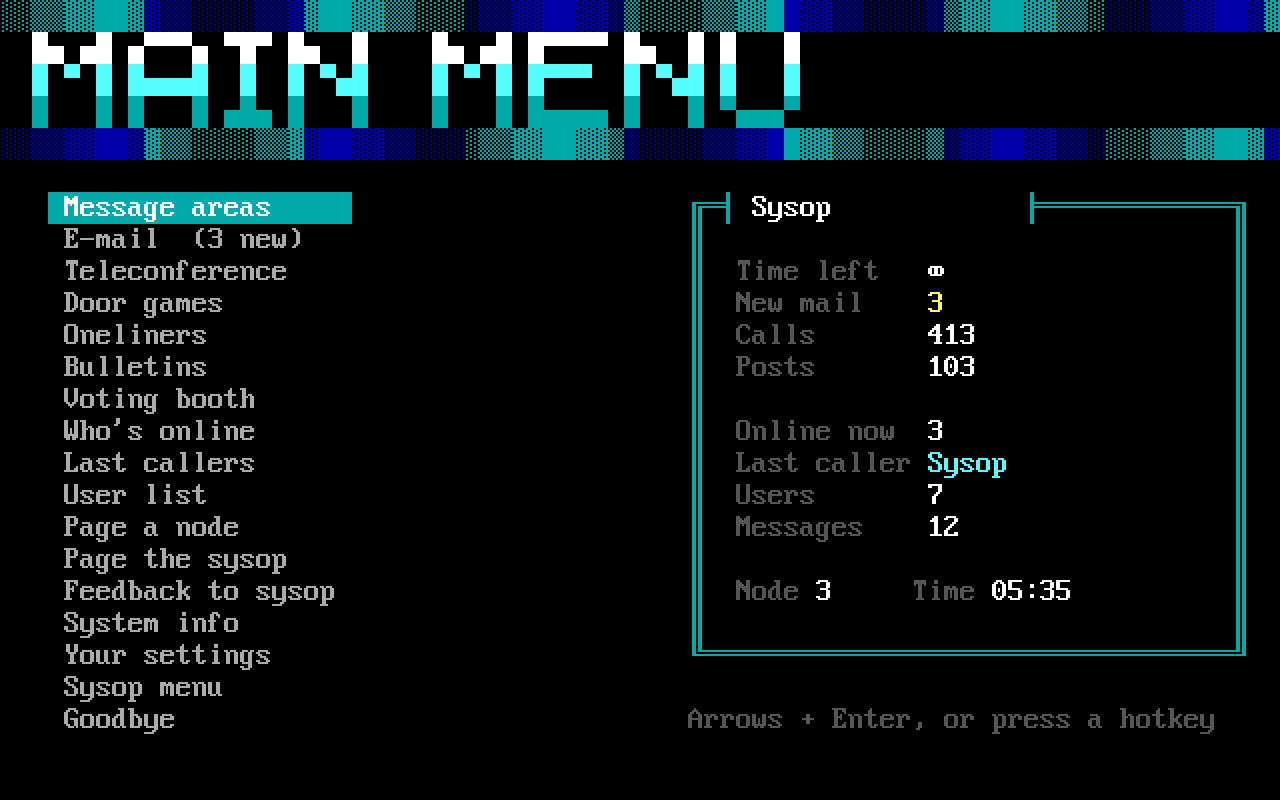
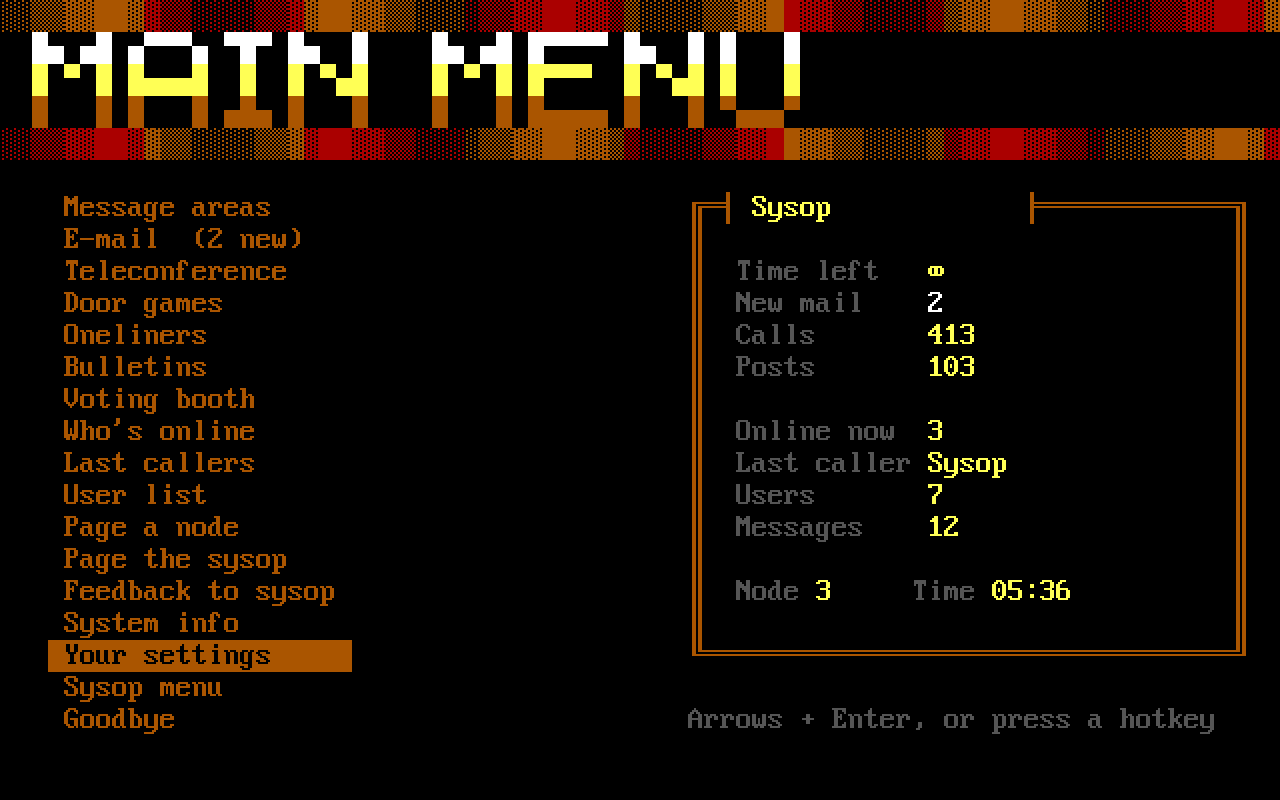
Layout
resources/themes/
  default/
    theme.php
    art/  connect.ans doors.ans login.ans logoff.ans logon.ans main.ans matrix.ans
  amber/
    theme.php
art/ (the same names, redrawn)The themes folder is BbsConfig::resources('themes'), by default resources/themes under the project root. See configuration.
Add a theme
-
Create the folder:
mkdir -p resources/themes/green/art -
Write
resources/themes/green/theme.php. Override only the keys you want; the rest come from the parent:<?php declare(strict_types=1); return [ 'name' => 'Green', 'description' => 'P1 phosphor', 'extends' => 'default', 'header' => "|02\u{2584}\u{2584} |10{title} |02{rule}|07\r\n", 'menu.item' => ' |02[|10{key}|02] |02{label}', 'menu.focus' => '|00|18', 'pause' => '|02[ |10Press any key |02]|07', ]; -
Draw art into
art/with the names in the list below. Any screen you leave out is taken from the parent theme. -
Preview it:
php carrier art:show main --theme=green
The theme now appears under Settings → Theme for every caller. To make it the board default, set BBS_THEME=green. Add 'hidden' => true to keep a theme out of the picker; callers already using it keep it.
The shipped amber/theme.php is a complete example: it overrides every visual key and extends default.
Which theme a caller gets
ThemeManager.php picks the first of these that is set:
- the user's
themesetting (Settings → Theme) $session->data['theme'], for a theme chosen before loginBbsConfig::$theme(BBS_THEME, defaultdefault)
If the chosen folder does not exist, the caller gets the BbsConfig::$theme theme.
Each theme's parent is its extends key. A theme without one extends default, and default has no parent. A string or art file missing from a theme is looked up in its parent, then the parent's parent. A string missing everywhere uses the default written in the code that reads it (listed below).
theme.php keys
theme.php returns an array. These are the keys the framework and the board read:
| Key | Read by | Placeholders | Code default |
|---|---|---|---|
name |
the theme picker | — | the folder name, capitalised |
description |
the theme picker | — | '' |
extends |
ThemeManager | — | 'default' |
hidden |
the theme picker (true hides it) |
— | false |
header |
Module::header(), the heading on screens without art |
{title} {rule} |
"|08▄▄ |15{title} |08{rule}\r\n" |
pause |
the pause prompt | — | '|08[ |07Press any key |08]' |
password_char |
password echo | — | '*' |
menu.header |
generated menu screens: the box at the top | {rule} {bbs} {title} {pad} |
a box-drawn frame in |08 |
menu.item |
generated menu screens: each option | {key} {label} |
' |08[|15{key}|08] |07{label}' |
menu.prompt |
hotkey menus | {title} |
"\r\n|08[|07|TL|08 min] |03{title} |08» |15" |
menu.lightbar_hint |
the line under a generated lightbar menu | — | a key-help line ending in [|TL min left] |
menu.normal |
lightbar items, unfocused | — | '|07|16' |
menu.focus |
lightbar items, focused | — | '|15|17' |
Values are pipe-coded strings, and display codes such as |TL (time left) work in them. See art for both. {rule} in header is a line of ▄ filling the width after the title; in menu.header it is a line of ─ across the box.
The pause and password_char values are applied when the caller logs in and whenever settings change (Session.php). Before login, the code defaults apply.
Any other key is free for your own modules: $session->theme()->get('my.key', 'fallback').
The default theme
return [
    'name' => 'Neon',
    'description' => 'Cyan phosphor on black (default)',

    'header' => "|03\u{2584}\u{2584} |15{title} |03{rule}|07\r\n",
    'pause' => '|08[ |07Press any key |08]|07',
    'password_char' => '*',

    'menu.header' => "|03\u{250C}{rule}\u{2510}\r\n|03\u{2502}|15 {bbs} |08\u{00B7} |11{title}{pad}|03\u{2502}\r\n|03\u{2514}{rule}\u{2518}|07\r\n",
    'menu.item' => ' |03[|15{key}|03] |07{label}',
    'menu.prompt' => "\r\n|08[|07|TL|08 min] |11{title} |03\u{00BB} |15",
    'menu.normal' => '|07|16',
    'menu.focus' => '|15|19',
];Art lookup
ArtRepository.php resolves an art name such as matrix.
Directories, in order: the caller's theme's art/, each parent theme's art/, then resources/art/. The first directory with any match wins; files are not mixed across directories.
Matching files in a directory: the name, an optional variant number, an optional width tag, then one of these extensions:
| Extension | Read as |
|---|---|
.utf8ans |
UTF-8 ANSI |
.ans, .asc, .nfo, .diz |
CP437 |
.pipe, .txt |
UTF-8 text with pipe codes |
So matrix matches matrix.ans, matrix2.ans, matrix.c132.ans and matrix.utf8ans.
Choosing among matches:
- Width. Files tagged
.cNNN(e.g.main.c132.ans) are used when the terminal is at least NNN columns wide; the widest that fits wins. Without a fitting tagged file, untagged files are used. - Encoding. On a UTF-8 terminal,
.utf8ansfiles are preferred; on a CP437 terminal, the others are. - Extension. Within one variant number, the first extension in the order
utf8ans,ans,asc,pipe,txt,nfo,dizwins. - Variant. One variant number is picked at random, so
matrix1.ans,matrix2.ansandmatrix3.ansrotate.
A name with an extension (matrix.ans) is an exact match, and a path to an existing file is used as is.
For drawing art, SAUCE, iCE colours, display codes and view markers, see art.
Art names the board uses
Missing art is not an error: each place falls back to a generated screen or plain text.
| Name | Shown by | Without it |
|---|---|---|
connect |
ShowConnectArt, on connect |
only the CONNECT line |
matrix |
the matrix menu (before login) |
a generated menu |
login |
Login; %ET1 and %ET2 place the handle and password fields |
plain prompts |
newuser |
Apply | a generated heading |
logon |
the logon menu, after login |
the step is skipped ((no art named logon)) |
main |
the main menu |
a generated menu |
doors |
the doors menu |
a generated menu |
doorbusy |
a door that is full | a text message |
logoff |
logging off | "Thanks for calling … NO CARRIER" |
areas, bulletins, lastcallers, mail, oneliners, settings, sysinfo, userlist, voting, whosonline |
the module of that name, as its header | the theme's header line |
Menu art is drawn as a lightbar menu when it contains %VM1 or %HM1, and as a hotkey menu otherwise. See menus.